


How to Choose a CNC Router for Signage
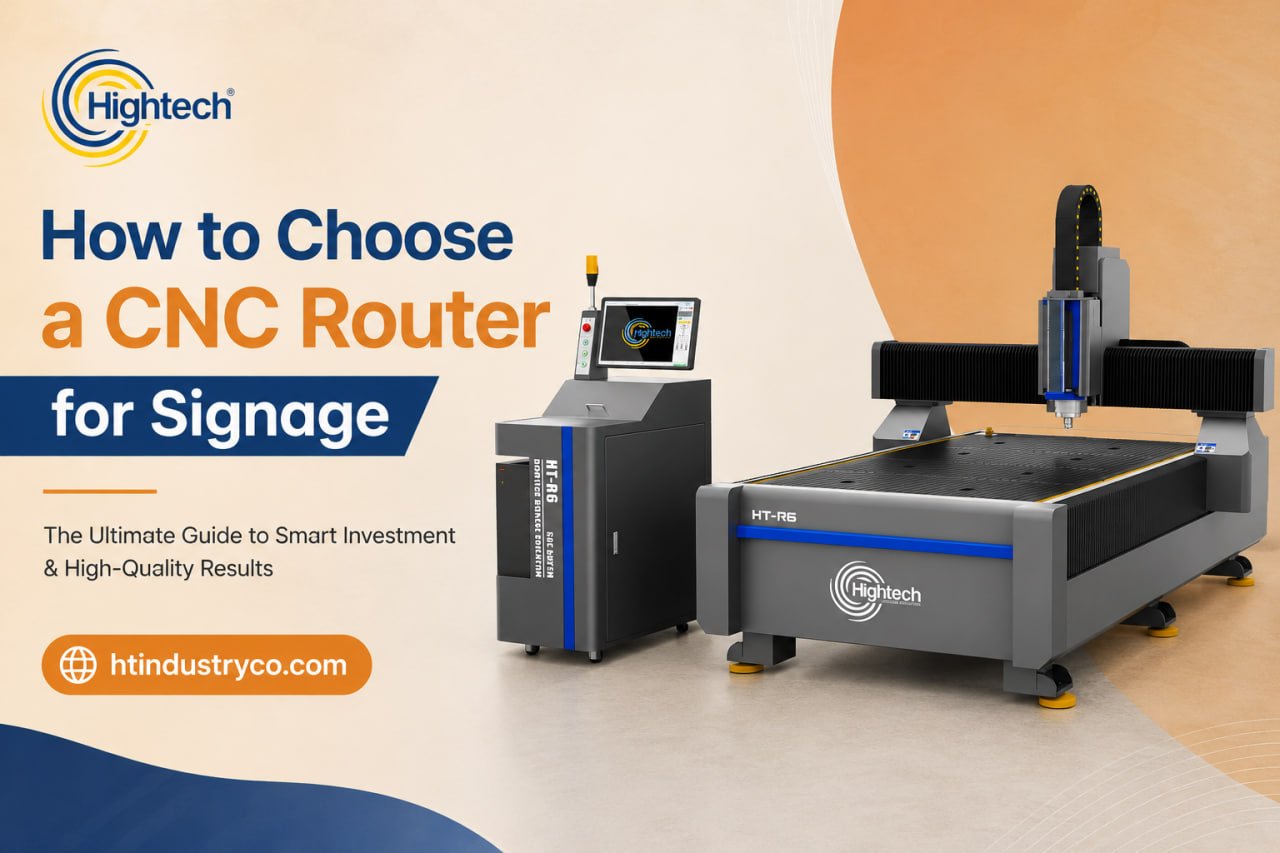
Table of Contents
A CNC router is usually the single largest equipment investment a sign shop ever makes — and the wrong choice quietly costs you for years. It might lock you out of the materials your customers actually want, slow your throughput on every job, or leave you fighting cloudy acrylic edges and constant rework. Get it right, though, and one machine can carry storefront signs, dimensional lettering, architectural panels, and engraved plaques without breaking a sweat.
The hard part is that spec sheets all start to look the same.”sign making” can mean wildly different things: carving high-density urethane monument signs, cutting crystal-clear acrylic letters, or nesting full sheets of aluminum composite. A machine that’s perfect for one of those can be the wrong tool for another.
This guide breaks down exactly what to evaluate — material by material, spec by spec, — so that by the end you can confidently match a router to your shop’s materials, volume, and budget.
Why Signage Has Different CNC Requirements Than Woodworking
It’s tempting to assume any capable woodworking router can handle signs. In practice, signage pushes a machine in directions woodworking rarely does.
Sign materials run from soft, heat-sensitive plastics to soft metals like aluminum, often within the same week of jobs. A standard woodworking router can struggle to deliver the edge clarity acrylic demands or the clean grooving that aluminum composite panel (ACP) requires for fold-and-wrap fabrication. What matters most for signage isn’t raw horsepower — it’s spindle control, rigidity, and versatility across very different substrates. Keep that lens on as you evaluate everything below.
Match the Machine to Your Sign Materials First
Before you look at a single spec, write down the materials you cut today and the ones you want to cut in two years. The materials decide the machine.
Review the differences between CNC routers and laser cutters if your material list includes jobs that may benefit from either routing or laser processing.
Acrylic (PMMA)
ACM / ACP (Aluminum Composite)
HDU (High-Density Urethane)
HDU is the workhorse of dimensional and three-dimensional signs — monument signs, carved logos, layered reliefs. Here you want strong depth control and the ability to run multi-depth carving passes for textured and 3D effects.
PVC and Foam Board
Wood and MDF
Soft Metals (Aluminum)
Some sign work calls for cutting soft aluminum. This demands frame rigidity and proper cooling — and it’s worth confirming a given machine is actually rated for it, because not every router is.
A useful exercise: build a quick table of your materials against the spindle, cooling, and tooling each one needs. The machine that satisfies your most demanding material is your real starting point.
Cutting Area: Small Format vs. 4x8
Desktop and Small-Format Machines
Full-Sheet 4x8 Machines
Right-Sizing for Your Real Volume
Spindle Power and Speed Explained
The Technical Specs That Actually Matter
This is where buyers either get a great machine or get burned. A few specs quietly determine your finish quality and reliability.
read more: start a sign business from home
Runout
Repeatability and Accuracy
Acceleration and Rapids
Vacuum Table and Hold-Down
Dust and Chip Collection
Beyond keeping your shop clean, good dust collection improves visibility during the cut, protects operator health, and contributes to a better finish by clearing chips before they re-cut.
Single-Head vs. Multi-Tool CNC Machines
A single-head router cuts and carves. A multi-tool machine adds heads — an oscillating or tangential knife, an optical/vision registration system, creasing wheels — to a single platform.
For a sign shop with a mixed workflow, this is a genuine game-changer. One multi-tool machine can rout rigid substrate, contour-cut printed vinyl and laminated graphics using registration marks, and crease for folding — work that would otherwise need several machines. The optical lens detects registration marks for pinpoint contour cutting, which eliminates costly misalignment on printed and layered materials. If you also run unattended multi-bit jobs, automatic tool change (ATC) lets the machine swap tools mid-program without an operator standing by.
read more: Industries That Use CNC Routers
Total Cost of Ownership Beyond the Sticker Price
Software and Ease of Use
Confirm the machine works with the design and CAM software your team already knows, or budget for the learning curve. Strong vendors include installation and training, which dramatically shortens the time from delivery to your first sellable sign. If you’re buying a vision-system or multi-tool machine, make sure the registration-to-cut workflow is genuinely smooth in practice, not just on paper.
read more: cnc router for cabinet making
Why Manufacturer Service and Warranty Make or Break the Purchase
This is the spec buyers under-weight most — and regret most. A CNC router is a long-term relationship with the company behind it. When something needs a part or a fix, what matters is warranty coverage, parts availability, response time, installation and training support, and whether the manufacturer will still be around and reachable years from now.
This is where manufacturer scale becomes a practical advantage rather than a marketing line. Hightech Industry Group builds machines backed by a team of more than 1,300 people, a presence in over 110 countries, and a network of 39 agents worldwide — infrastructure that translates directly into parts availability and support for the working life of your machine, not just the week you buy it. A great spec sheet means little if you can’t get a spindle or a service answer when a job is due Friday.
A CNC Router Buyer's Checklist for Sign Shops
Run through these before you commit:
Materials: Does the machine handle every substrate you cut now and plan to add — including your most demanding one?
Cutting area: Do you need full 4×8 sheet nesting, or is small-format enough?
Edge quality: Does it have a high-frequency, low-runout spindle and rigid frame for clean plastic edges?
Workflow: Do you need multi-tool knife/vision capability, or is a single router head sufficient?
Volume: Is repeatability and throughput matched to your real production, with a little headroom?
Total cost: Have you budgeted tooling, maintenance, power, and software — not just the sticker price?
Support: Can you actually get parts, service, and training when you need them?
If you can answer those seven with confidence, you’re ready to choose.
Find the Right Machine for Your Application
Frequently Asked Questions
What size CNC router do I need for signage?
Can one CNC router cut acrylic, ACM, HDU, and wood?
How much does a CNC router for sign making cost?
Do I need a multi-tool CNC router?
CNC router or laser for acrylic signs?
What specs matter most for edge quality?
Latest contents


Prefer a callback? Share your details and requirements below.
Your details will only be used to respond to this request.