

Best CO2 Laser Cutting Machine: 2026 Buyer’s Guide for Sign Shops & Production Businesses
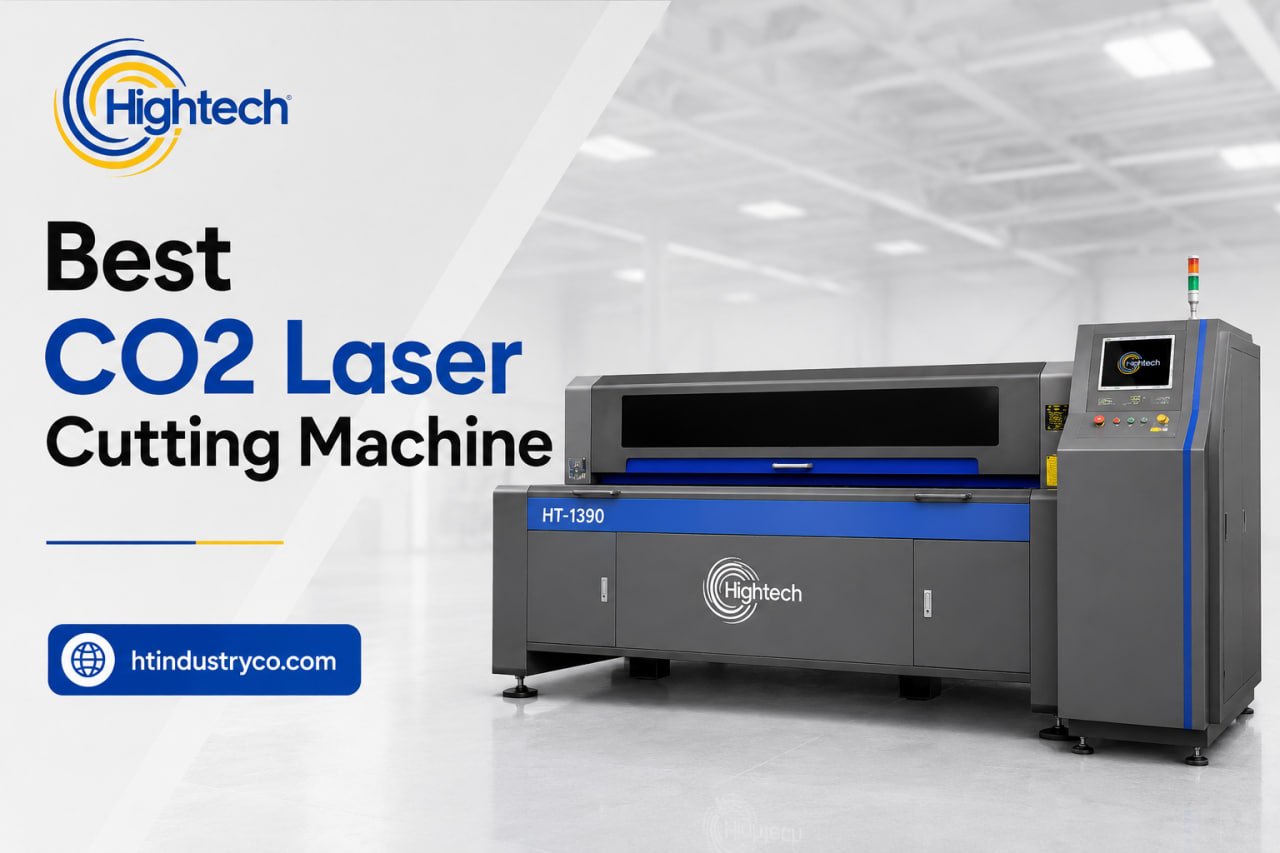
Table of Contents
Choosing the best CO2 laser cutting machine depends on your materials, sheet size, production volume, and available workspace. A compact model may be suitable for engraving and small projects, while larger machines are better for sign shops and high-volume production.
When comparing the best CO2 machine for your business, consider laser power, working area, cutting speed, software compatibility, cooling system, and after-sales support. This guide compares Hightech CO2 laser machines and helps you choose the right system for cutting and engraving acrylic, wood, MDF, leather, fabric, and other compatible non-metal materials.
Quick Answer: What Is the Best CO2 Laser Cutting Machine?
The best CO2 laser cutter depends on what you cut and how much of it you cut. There is no single winner across hobby, small-business, and industrial use — but there is a clear sweet spot for businesses that need to cut acrylic, wood, and signage materials reliably, day after day.
If you run a sign shop, a fabrication business, or any operation where the laser pays for itself through output, the machine that wins is a 100–150W glass-tube CO2 laser with a large bed (around 1300 × 900 mm), a Ruida controller, water cooling, and LightBurn/CorelDRAW compatibility. The Hightech HT CO2-1390 is built around exactly this specification, which is why it anchors our production recommendation below.
The table below summarizes where each tier fits.
|
Machine |
Wattage |
Work Area |
Tube Type |
Best For |
HT CO2-1390 |
100–150W |
1300 × 900 mm |
Glass (CO2) |
Production / sign shops |
|---|---|---|---|---|
| HT CO2-1530 | 60–250W | 1500 × 3000 mm | Glass (CO2) | Large-sheet production |
| CO2 Engraving HT-1325 | 60–250W | 1300 × 2500 mm | Glass (CO2) | Large-format cut & engrave |
| HT CO2-7050 Z | 50–60W | 700 × 500 mm |
Glass (CO2) |
Mixed cut & engrave |
| HT CO2-6040 | 60–250W | 400 × 600 mm | Glass (CO2) | Small business / craft |
Hightech CO2 Laser Cutting Machines at a Glance
Hightech offers five CO2 laser machine formats covering compact engraving, mixed cutting and engraving, general sign-shop production, and large-format sheet processing. The range starts with a 400 × 600 mm compact system and extends to a 1500 × 3000 mm production bed. Depending on the model, available features include different laser power configurations, Ruida or LaserCAD control systems, water cooling, lifting worktables, rotary attachments, and support for common design-file formats.
Rather than identifying one machine as the universal best option, buyers should select a model according to the largest material they regularly process, the required cutting and engraving speed, the need to handle tall or cylindrical objects, and expected daily output. The comparison below provides a clearer overview of how each system fits into a production workflow.
HT CO2-6040 Laser Cutting Machine
The HT CO2-6040 Laser Cutting Machine is the most compact option in the Hightech CO2 range, with a 400 × 600 mm working area. It is suitable for businesses that primarily manufacture small acrylic signs, personalized gifts, decorative components, packaging samples, craft products, and other items that do not require a large sheet-processing bed.
Its smaller format can help workshops use floor space more efficiently while still gaining access to industrial CO2 cutting and engraving capabilities. It may also serve as a practical secondary machine for sampling, prototyping, short runs, or urgent small-format orders that would otherwise interrupt a larger production laser.
The official category page lists power configurations from 60W to 250W, but buyers should confirm which power options are available for the exact 6040 configuration being quoted. Before selecting this model, compare its usable bed size with the dimensions of your regular stock. It is most economical when materials can be processed without repeated repositioning.
HT CO2-7050 Z Laser Cutting Machine
The HT CO2-7050 Z Laser Cutting Machine is designed for workshops that require more vertical flexibility than a standard flatbed laser. It provides a 700 × 500 mm working area, 50W or 60W laser power, and a motorized platform with up to 200 mm of lifting height.
The adjustable Z-axis makes the machine useful for processing materials and products with different heights. With the appropriate optional rotary attachment, it can also engrave cylindrical objects such as bottles and logs. Supported applications include cutting and engraving acrylic, wood, leather, paper, cloth, rubber, cardboard, double-color board, and other compatible non-metal materials.
The machine’s published specifications include engraving speeds of up to 1000 mm/s and positioning accuracy of 0.01 mm. It is therefore better suited to detailed engraving, personalized products, packaging, crafts, and mixed small-format work than to full-sheet production. Its LaserCAD and RDWorks control options also support common formats including BMP, DWG, DXF, JPG, PLT, and PNG.
HT CO2-1530 Laser Cutting Machine
The HT CO2-1530 Laser Cutting Machine provides the largest working area in this comparison, measuring 1500 × 3000 mm. It is intended for businesses that regularly process large acrylic, MDF, plywood, fabric, or other compatible non-metal sheets and want to minimize manual trimming, repositioning, or dividing designs into multiple sections.
This model is particularly relevant for large sign panels, exhibition components, architectural decorations, furniture parts, textile patterns, packaging templates, and other jobs where bed size directly affects productivity. Processing more of the original sheet in one setup can improve nesting opportunities, reduce alignment errors, and lower operator handling time.
The official Hightech category page lists configurations from 60W to 250W and positions the machine for large-sheet and higher-volume production. Buyers should select the final laser power according to material type, thickness, edge-quality requirements, and target cutting speed. The complete machine footprint, extraction requirements, loading space, electrical supply, and material-handling method should also be reviewed before installation.
HT CO2-1390 Laser Cutting Machine
The HT CO2-1390 Laser Cutting Machine combines a 1300 × 900 mm working area with multiple published laser power options, making it a practical mid-format system for sign shops, acrylic fabricators, advertising producers, woodworking businesses, and general production workshops.
Its working area provides considerably more capacity than compact machines while requiring less space than the HT-1325 or HT CO2-1530. This balance makes it suitable for acrylic letters, illuminated-sign components, display panels, decorative products, MDF parts, leather, paper, fabric, and other compatible non-metal materials.
The official technical specifications list a Ruida DSP control system, synchronous-belt transmission, positioning accuracy of ≤±0.05 mm, engraving speeds of up to 1200 mm/s, cutting speeds of up to 600 mm/s, and circulating-water cooling. Supported file and design formats include AI, AutoCAD, BMP, CorelDRAW, DXF, PLT, and RLD. An optional rotary shaft can extend the machine to engraving bottles and other cylindrical objects.
CO2 Laser Cutting and Engraving HT-1325
The CO2 Laser Cutting and Engraving HT-1325 provides a 1300 × 2500 mm processing area, positioning it between the mid-format HT CO2-1390 and the larger HT CO2-1530. It is suitable for businesses that require longer material capacity but do not necessarily need a full 1500 × 3000 mm bed.
Available power options range from 60W to 250W. The machine uses water cooling, Ruida DSP control technology, synchronous-belt transmission, and provides published positioning accuracy of ≤±0.05 mm. Its listed engraving speed reaches 80,000 mm/min, while cutting speed reaches 60,000 mm/min.
The HT-1325 can cut and engrave acrylic, density board, double-color board, leather, paper, and wood board. Its heavy welded frame and Y-axis belt-pressing system are designed to reduce movement and vibration during longer jobs. With a compatible lifting platform and rotary shaft, the machine can also engrave bottles, logs, and other cylindrical non-metal products. This model is most relevant for large signage, woodworking, décor, textiles, displays, and personalized production.
How to Choose the Best CO2 Laser Cutting Machine
Compare our CO2 laser cutting machines by working area, material requirements, and production volume before shortlisting a model.
Before comparing brands, get clear on five things: power, bed size, tube type, controller/software, and the support package. These drive both capability and total cost of ownership — and they are where buyers most often overpay or under-spec.
Use CO2 laser cutting materials and applications to confirm that the technology matches your product mix before comparing models.
Laser Power (Wattage): 60W vs. 100W vs. 130W vs. 150W+
Work Area / Bed Size & Pass-Through Capability
Laser Tube Type: Glass vs. RF Metal Tube (Lifespan & Cost)
Controller & Software (Ruida, LightBurn, CorelDRAW Compatibility)
Cooling, Autofocus, Camera Positioning & Safety Features
Production reliability lives in the details:
• Water cooling: A dedicated industrial chiller (CW-3000/CW-5000 class) keeps the tube at a stable temperature, protecting both cut quality and tube life. Essential for 100W+ machines.
• Autofocus: Speeds setup and ensures consistent focal height across materials of different thicknesses.
• Camera positioning: Overhead cameras let you place artwork precisely on irregular stock and align to pre-printed materials.
• Safety & extraction: Proper fume extraction, interlocked lids, and emergency stops are not optional in a workplace — confirm the machine meets your local requirements.
Include laser cutter maintenance requirements in the purchase decision, especially access to optics, cooling components, and extraction-system service points.
Best CO2 Laser Cutting Machines for Different Uses
Best Industrial / Production CO2 Laser — HT CO2-1390
For sign shops and production businesses, the HT CO2-1390 is our top pick. The combination of 100–150W glass-tube power, a 1300 × 900 mm bed, Ruida + LightBurn control, and industrial water cooling covers the materials a sign business actually runs — acrylic, wood, MDF, and more — at production speeds. Because Hightech is the manufacturer, buyers deal directly with the source for specifications, spare parts, and warranty rather than going through a reseller chain. For shops needing an even larger bed, the HT CO2-1530 and HT-1325 extend the same approach to oversized sheets.
Best for: acrylic letter cutting, signage panels, point-of-sale displays, and any shop where the laser needs to earn its keep every day.
Best for Large-Sheet Production — HT CO2-1530 & HT-1325
When jobs regularly involve full-size acrylic and plywood sheets, the large-bed HT CO2-1530 (1500 × 3000 mm class) and HT-1325 (1300 × 2500 mm class) let you process oversized stock in a single pass. They suit high-throughput signage and fabrication operations that would otherwise bottleneck on bed size.
Best for Small Business & Sign Shops (Starting Out)
A business not yet at full production volume can start with a smaller-format glass-tube machine such as the HT CO2-6040 or the HT CO2-7050 Z. This handles most acrylic and wood signage jobs while keeping the entry cost lower. The upgrade path to a 1390-format production machine is straightforward as volume grows.
Best for Mixed Cutting & Engraving — HT CO2-7050 Z
For shops that switch between cutting flat stock and engraving objects of varying thickness, the HT CO2-7050 Z adds a motorized Z-axis worktable. It is a sensible choice where versatility matters more than a large bed — capable of engraving and light cutting on wood, acrylic, leather, and paper.
Find the Right Machine for Your Application
Frequently Asked Questions
What is the best CO2 laser cutting machine in 2026?
What wattage CO2 laser do I need for my business?
Is a CO2 laser cutter good for a sign-making business?
Yes — CO2 lasers are one of the most popular tools in sign making. They cut and engrave acrylic, wood, MDF, and similar materials cleanly and quickly, with flame-polished edges on acrylic. A production-grade machine like the HT CO2-1390 is well suited to cutting acrylic letters, panels, and displays. (For cutting metal, you need a fiber laser instead.)
What is the best industrial CO2 laser cutting machine for production?
Is a CO2 laser cutter worth it for a small business?
Latest contents


Prefer a callback? Share your details and requirements below.
Your details will only be used to respond to this request.