
What Are the Different Types of CNC Routers?
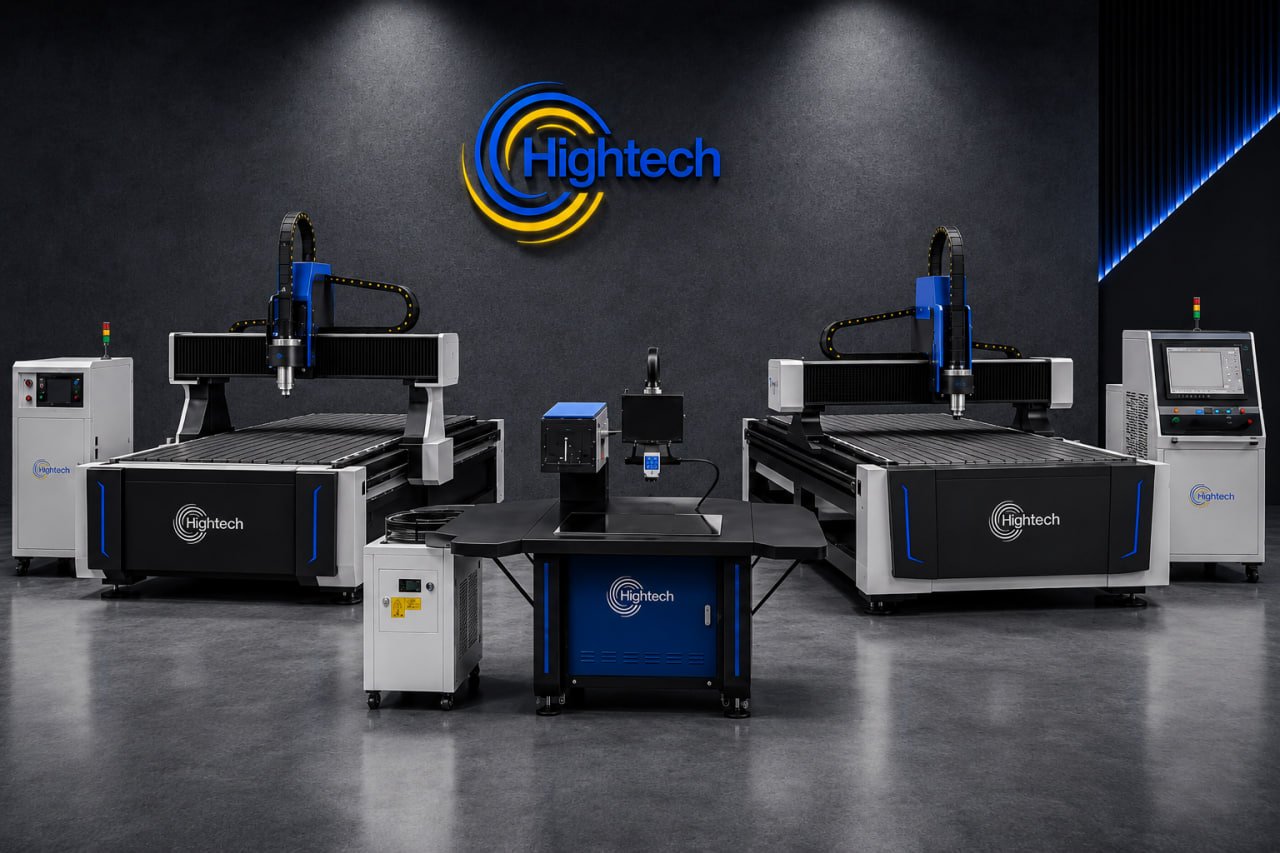
Table of Contents
CNC routers can be grouped by axis movement, machine size, tooling, table design, automation level, and the materials they are built to process.
The phrase types of CNC routers does not describe one fixed list. A machine can be a 3-axis router, an industrial flatbed, an automatic-tool-change system, and a woodworking router at the same time. The labels overlap because each describes a different feature: movement, size, tooling, table design, or application.
This guide explains the major CNC router types and uses HT Industry machines as practical examples, from the 2.2 kW HT R1 Q and 3.2 kW R3 series to the automatic-bit-change RX6, industrial R6, and hybrid HTR5.
QUICK FACT
Most commercial sheet-processing routers are 3-axis flatbed machines. Extra axes are valuable when the workpiece is round, has several faces, or needs angled tool access, but more axes do not automatically make a router faster, more accurate, or better for every job.
How CNC Routers Are Classified
CNC router classification is easiest when the questions are separated. Axis configuration describes motion; size describes footprint and capacity; tooling describes how cutters are changed or combined; table design describes workholding; and application categories describe materials or production tasks.
For example, the HT R3 Q is a commercial 3-axis flatbed with vacuum hold-down, while the HT RX6 adds automatic bit changing and calibration. The HT R6 moves toward industrial production with a 5.5 kW spindle, servo motors, vacuum hold-down, dust collection, and automatic lubrication. These labels describe different capabilities rather than competing machine classes.
Types of CNC Routers by Axis Configuration
The number and arrangement of axes determine the directions from which the cutter can reach the part. For a deeper movement-by-movement explanation, see HT Industry’s guide to CNC router axis configurations.
3-Axis CNC Routers
A 3-axis router moves along X, Y, and Z: across the table and vertically into the material. It cuts sheet outlines, pockets, grooves, lettering, reliefs, and drilled features reachable from above. Sign faces, cabinet panels, furniture parts, acrylic letters, and MDF components are typical work.
Many HT Industry models fit this workhorse category. The HT R1 Q uses a 2.2 kW water-cooled spindle. The HT R3 E and R3 Q are other models in this 3-axis category. For flat stock, a rigid 3-axis router is usually the most economical choice.
Rotary-Axis CNC Routers
A rotary-axis router adds a chuck or roller that turns a cylindrical workpiece. It is used for table legs, balusters, columns, round signs, handles, and wrapped engraving. Some rotary units are accessories fitted to a flatbed; others are integrated.
An indexed attachment turns the part to a position and stops while the linear axes cut. A coordinated rotary axis can turn during machining, producing continuous spirals and smoother wrapped designs.
4-Axis CNC Routers
A 4-axis router combines X, Y, and Z movement with one controlled rotary axis. It reduces repositioning when a part needs machining around its circumference or on several sides, making it useful for legs, posts, columns, and multi-face components.
Choose a true 4-axis system when simultaneous motion, repeatable rotation, or regular cylindrical production is central to the workflow.
5-Axis CNC Routers
A 5-axis router adds two rotary directions to the three linear axes. The tool can approach from many angles to machine deep contours, angled faces, molds, sculptures, composites, and complex prototypes in fewer setups.
The trade-offs are higher cost, more complex programming, and greater collision-planning and fixturing demands. For flat signage or cabinet sheets, a 3-axis production router is often simpler and faster.
Types of CNC Routers by Size and Production Scale
Desktop and Mini CNC Routers
Desktop and mini routers have small work areas and light frames. They suit education, prototypes, small engravings, model parts, and low-volume craft work. Their compact size and lower cost are attractive, but limited rigidity, spindle power, dust control, and sheet capacity restrict throughput.
Commercial CNC Routers
Commercial routers are built for daily use and commonly accept full or near-full sheets. Stronger frames, water-cooled spindles, rack drives, linear guides, and vacuum hold-down make them suitable for sign shops, woodworkers, plastics fabricators, and custom-production businesses. HT R3 and RX6 models fit this broad class.
Industrial CNC Routers
Industrial routers prioritize continuous duty, high feed rates, repeatability, automation, and reduced operator intervention. Servo motors, powerful spindles, automatic lubrication, zoned vacuum, dust extraction, and automatic tool management are common.
The HT R6 is an industrial flatbed example, combining a 5.5 kW water-cooled spindle, AC servo motors, vacuum pumps, dust collection, and guide-rail lubrication for long-shift sheet processing.
Types of CNC Routers by Tooling and Automation
Manual Tool Change CNC Routers
On a manual tool change router, the operator stops the program, replaces the bit, sets tool height, and restarts. This is practical for one-tool jobs or occasional changes and keeps cost and maintenance lower, but it slows multi-operation parts.
ATC CNC Routers
An automatic tool changer, or ATC, stores several cutters and changes them under program control. A part can move from profiling to pocketing, drilling, and finishing without waiting for the operator; automatic measurement further reduces setup errors.
The HT RX6 illustrates this category with automatic bit change and calibration, servo motors, a vacuum table, and dust collection. ATC systems are most valuable when jobs regularly use several tools or labor time limits output.
Multi-Head and Multi-Spindle CNC Routers
Multi-head and multi-spindle routers use two or more cutting units. They may duplicate an operation on several parts, carry different tools, or combine processes. They raise output for repeated panels, doors, foam shapes, and carving, although head spacing and usable table area must suit the layout.
Hybrid systems extend the idea beyond router bits. The HTR5 pairs a router spindle with an oscillating knife so one flatbed can mill rigid sheets and cut flexible media. See the comparison of Best CNC routers and blade cutters for the workflow differences.
Types of CNC Routers by Table and Production Workflow
Flatbed CNC Routers
A flatbed router supports panels horizontally while the gantry or tool moves above them. T-slot tables use clamps; vacuum tables pull sheets flat through zones or a spoilboard. Large-format HT routers use this layout for acrylic, MDF, PVC, plywood, sign board, wood, polycarbonate, and ACP.
Flatbeds are the default platform for a Best CNC router for sign-making applications because it handles standard sheets, nested parts, engraved panels, and dimensional letters. The working area should fit the shop’s largest normal sheet without repeated repositioning.
Nesting CNC Routers
A nesting router is a flatbed optimized to arrange many parts on a full sheet, then cut and drill them in one setup. Nesting software reduces waste and creates assembly-ready components. Strong vacuum hold-down, ATC tooling, drilling, and material handling become more important as volume rises.
Nesting is widely used for cabinet boxes, furniture panels, fixtures, and sheet-based signs. A large table alone does not make a nesting system; software, tooling sequence, hold-down, and material handling must support repeatable sheet processing.
Specialized CNC Routers by Material and Application
Woodworking and Cabinet-Making CNC Routers
Woodworking routers cut solid wood, plywood, MDF, particleboard, laminates, and composite panels. Cabinet production usually favors a flatbed with strong vacuum hold-down, nesting software, and ATC tooling for profiles, dados, hinge pockets, and shelf-pin holes. HT Industry’s guide to CNC routers for cabinetry explains how the R3 Q, R3 Q Plus, and R6 align with different production scales.
Foam and Mold-Making CNC Routers
Foam routers often use extended Z travel, long tools, and high-clearance gantries for patterns, prototypes, props, packaging forms, and molds. Large 3D surfaces still require stable motion and chip collection. Rotary or 5-axis motion may help when several sides must be machined.
Stone CNC Routers
Stone routers are purpose-built for marble, granite, engineered stone, and similar abrasive materials. They need heavy frames, water delivery, sealed components, corrosion protection, diamond tooling, and tables designed for slurry and high workpiece weight. A standard wood router should not be assumed suitable.
CNC Routers for Aluminum and Other Non-Ferrous Metals
Rigid commercial and industrial routers can cut suitable aluminum, brass, copper, and other non-ferrous materials when tooling, lubrication, feed rate, chip evacuation, and workholding are matched. Aluminum composite panels are routine in sign production; solid plate demands more rigidity and careful parameters.
For deep pockets, tight tolerances, hard metals, or heavy stock removal, a CNC mill may be better. Routers favor larger work areas and high spindle speeds; mills favor stiffness, torque, and metal-cutting loads.
CNC Router Types Compared
|
Router type |
Best suited to |
Main advantage |
Main limitation |
|---|---|---|---|
| 3-axis | Flat sheets, signs, cabinets | Simple and cost-effective | Top-down access |
| Rotary / 4-axis | Round and multi-face parts | Less repositioning | More setup |
| 5-axis | Molds and complex contours | Multi-angle cutting | Highest complexity |
| Desktop / mini | Learning and prototypes | Compact and affordable | Limited capacity |
| Commercial flatbed | Daily panel production | Full-sheet versatility | Needs floor space |
| Industrial | High-volume production | Automation and uptime | Higher investment |
| Manual tool change | Simple jobs | Low cost | Operator time |
| ATC | Multi-tool parts | Automatic changes | More components |
| Nesting | Cabinet and sheet parts | Yield and one setupContent | Software-dependent |
| Hybrid router + knife | Rigid and flexible media | Two processes on one bed | Specialized workflow |
How to Choose the Right CNC Router Type
Choose around the work, not the longest feature list. Start with the largest material and part size, then consider geometry, daily volume, number of tools, hold-down method, dust or chip control, software, power, floor space, service, and realistic plans for growth. A basic 3-axis machine is often the right answer for flat panels; rotary or 5-axis motion only pays for itself when the parts require it. Also consider the broader advantages of using a CNC router, including repeatability, digital workflow, reduced manual handling, and scalable production.
Within the HT range, the logic may lead a small shop to the R1 Q or R3 E, a growing sheet business to an R3 Q or R3 Q Plus, a multi-tool workflow to the RX6, mixed-material cutting to the HTR5, or industrial throughput to the R6. Confirm the final configuration against material, thickness, tooling, accuracy, and cycle time.
Frequently Asked Questions
How many types of CNC routers are there?
There is no single official number because CNC routers are classified in overlapping ways. The most useful groups are axis configuration, size, tooling and automation, table workflow, and material or application.
What is the most common type of CNC router?
The most common commercial format is a 3-axis flatbed router. It efficiently handles flat sheets and top-access machining for signs, cabinetry, furniture, plastics, and general fabrication.
What is the difference between 3-axis, 4-axis, and 5-axis CNC routers?
A 3-axis router moves in X, Y, and Z. A 4-axis machine adds one rotary movement for round or multi-face parts. A 5-axis machine adds two rotary movements for complex angles, contours, and fewer setups.
What is the difference between a desktop and an industrial CNC router?
A desktop router is compact and intended for small, light-duty work. An industrial router has a larger work area, heavier frame, stronger spindle and drives, better material hold-down, extraction, automation, and support for long production shifts.
What is a nesting CNC router?
A nesting CNC router cuts many parts from a full sheet using optimized software layouts. It commonly profiles, pockets, and drills components in one setup for cabinets, furniture, fixtures, and panel-based products.
Do more axes always make a CNC router better?
No. More axes expand tool access but also increase cost and programming complexity. A 3-axis router is usually the better choice when parts are flat and all features can be reached from above.
Which type of CNC router is used for cylindrical or round parts?
A rotary-axis or 4-axis CNC router is normally used. The rotary device turns the workpiece so the tool can machine around its circumference.
Which CNC router types can cut aluminum?
Rigid commercial and industrial routers can cut suitable aluminum and other non-ferrous metals with correct tooling, lubrication, feed rates, chip evacuation, and hold-down. Heavy metal removal may require a CNC mill.
What is the difference between a CNC router and a CNC mill?
CNC routers generally use larger work areas and higher spindle speeds for wood, plastics, composites, sheet materials, and light non-ferrous work. CNC mills are typically heavier and stiffer, with more torque for precise metal machining and deep cuts.
What factors determine which CNC router type to choose?
Consider material, thickness, part dimensions, geometry, number of tools, production volume, required accuracy, table and hold-down method, extraction, automation, software, utilities, available space, service, and future workload.
Latest contents



Prefer a callback? Share your details and requirements below.
Your details will only be used to respond to this request.