
How to Choose a CO₂ Laser for Cutting Acrylic
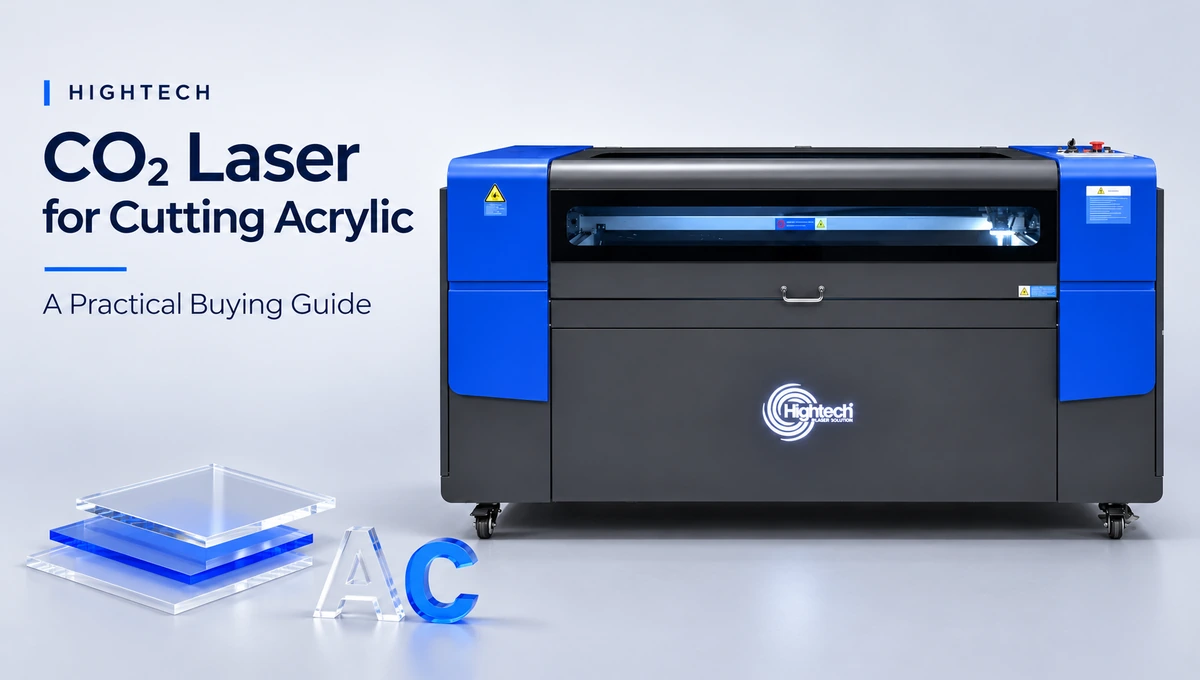
Table of Contents
Quick answer: Choose a CO₂ laser for cutting acrylic by the material grade, thickness you process most often, largest sheet or nested layout, acceptable edge finish and required good parts per shift. Then check the working area, actual tube configuration, optics, cooling and extraction. The safest purchase decision comes after a supervised sample cut on your own acrylic—not from wattage alone.
A workshop making small engraved nameplates and a sign company cutting large transparent display panels may both need a CO₂ laser cutter for acrylic, yet the right bed size, output target and cutting setup will be different. Use the steps below to build a shortlist around your production work.
What Kind of Acrylic Work Will the Machine Handle?
Start with the parts you sell, not the specifications you see in a catalogue. Acrylic type, sheet size, edge appearance and production volume determine what a suitable machine must prove in a sample run.
Cast vs. Extruded Acrylic: Cutting and Engraving Expectations
Acrylic, also called PMMA, is commonly supplied as cast or extruded sheet. Both can be processed with a suitable CO₂ laser, but the same drawing may produce different engraving contrast and edge appearance on the two grades. Supplier, colour and additives also matter.
Decision factor | Cast acrylic | Extruded acrylic |
Engraved graphics | Often develops a frosted, high-contrast surface | May appear clearer and less frosted when engraved |
Cut-edge appearance | Can produce a clear, smooth edge with correct setup | Can also produce a clear edge; compare on your actual sheet |
Typical buying priority | Useful when engraving contrast matters alongside cutting | Worth evaluating for repeated cut-only parts and consistent sheet stock |
Check before production | Grade, colour, masking and sheet flatness | Grade, colour, masking and stress-sensitive finish |
Before any cut, identify the material from its supplier specification and safety data sheet (SDS). Do not assume an unknown plastic or protective film is safe for laser processing. Confirm whether the sheet’s masking can remain in place under the machine supplier’s approved procedure.
Typical Sheet Thickness, Maximum Size and Visual Finish
Separate the thickness you run every day from the thickest sheet you cut occasionally. For example, a shop working mainly with 3 mm and 6 mm acrylic but sometimes receiving 10 mm panels should test all three; 15 mm work needs its own feasibility check when relevant.
Record the largest full sheet, the largest finished component and the space required for nesting. Specify what “acceptable” means: a transparent edge on a light-guide panel, a neat outline on a coloured letter, precise slots in a fitted assembly, or an engraving that can be read without extra finishing.
Batch Size and Required Daily Output
Machine travel speed is not the same as daily production. Loading, unloading, aligning sheets, extracting parts, cleaning edges and discarding rejected pieces all affect output. A larger bed may reduce handling time, but only if the usual nesting layout fills it efficiently.
Prepare a simple buying worksheet with acrylic grade and colour; routine and occasional thickness; sheet and maximum-part dimensions; minimum detail size; edge-quality standard; and accepted parts needed per shift. Add available floor space, electrical supply and extraction constraints so a proposed system fits the workshop as well as the drawing.
What Wattage CO₂ Laser Is Best for Cutting Acrylic?
There is no universal wattage that is best for every acrylic sheet. CO₂ laser power for acrylic cutting must be judged together with thickness, lens and focus, material grade, desired speed and edge requirements—not just a tube’s published rating.
How Power, Thickness, Speed and Edge Quality Interact
A higher-output configuration can provide more cutting capacity or faster processing on some jobs, but additional heat does not automatically improve the result. Too little delivered energy can leave an incomplete cut; too much energy or an unsuitable setup can produce excessive melting, a wider kerf or poor edge consistency. The effective process window depends on the actual machine and sheet.
For purchase testing, group the work into real examples: 3 mm detail parts, 6 mm display components, 10 mm structural or sign elements, and 15 mm sheets only where that thickness is genuinely required and the machine supplier approves the test. Ask the demonstrator to show the fastest repeatable setting that meets your finish standard, not a single impressive cut.
Higher Wattage Does Not Replace Suitable Optics and Cooling
Ask what tube is installed on the machine being quoted and what its output rating means. Also confirm the lens/focal-length option, focus procedure, optical alignment, cooling capacity and maintenance requirements. These can alter real cutting performance even between systems advertised at similar wattages.
Because power options and accessories can vary by configuration, request a current model-specific configuration sheet before comparing quoted wattage. A reliable supplier recommendation should identify the tested machine, material, cutting speed, number of passes and final edge quality.
How Thick Can a CO₂ Laser Cut Acrylic?
A CO₂ laser’s maximum cut-through thickness is not necessarily the maximum thickness it can process with a saleable edge. For professional acrylic signage and displays, usable part quality is the better measure of capacity.
Cutting Through vs. Achieving a Polished, Usable Edge
A through-cut only proves that the beam separated the material. The finished piece also needs acceptable edge clarity, taper, kerf width, surface marks and dimensional fit. Thick acrylic may demand a different focus strategy or additional passes, but extra passes can add heat and processing time. A nominal “maximum thickness” figure without a stated material and quality standard is not enough to plan production.
Inspect test pieces in the same lighting in which customers will see them. On clear sign faces and retail displays, haze or vertical edge lines may be more noticeable than on opaque letters. For precision parts, check that slots, small holes and external dimensions still fit after cutting.
Why Identical Thicknesses Can Cut Differently
Two sheets sold as 6 mm acrylic may differ in manufacturing method, pigments, additives, masking, flatness and thickness tolerance. Even a new batch from the same supplier can deserve a short confirmation cut. Store test records against the actual sheet grade; do not reuse a setting just because the nominal thickness matches.
Material identification is also a safety decision. Confirm that the stock is approved PMMA, check the supplier SDS and identify any coatings or films. Do not laser-cut unidentified stock, PVC or other chlorine- or fluorine-containing plastics; follow the approved-material list and your workshop’s safety procedure.
Which Bed Size and Hardware Features Matter Most?
Once you know the sheet and part dimensions, choose the practical work area. Then compare the components and operating conditions that influence whether the machine can reproduce the same acceptable acrylic cut throughout a shift.
Choose the Work Area From the Sheet or Nesting Layout
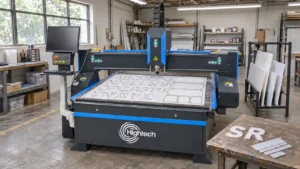
A small bed may be enough for lettering, point-of-sale pieces and short-run products cut from pre-sized blanks. Larger panel work can justify a 1300 × 900 mm, 1300 × 2500 mm or 1500 × 3000 mm class system. A larger format is not automatically more economical when most jobs occupy only one corner of the table.
For every candidate machine, compare the advertised processing area with actual usable space after bed supports, positioning clearance, sheet tolerances and loading access. Confirm how full sheets enter and leave the machine, how the operator handles offcuts and whether the finished part can be removed without damaging its edge.
Check Support Bed, Air Assist, Extraction and Cooling
The support surface should hold acrylic flat while limiting unwanted underside contact marks. Ask whether a blade, honeycomb or other supported worktable fits the product mix and what changes when cutting small pieces that could tip or fall through.
Air assist affects fumes and the cut zone, but there is no universally safe airflow setting for every sheet, thickness and machine. Have Hightech confirm the approved setup for the quoted unit, including effective fume extraction, water cooling, fire protection and operator supervision. Keep extraction running as required and never leave a laser cutting job unattended.
Confirm Controller, Software, Lens and Service Requirements
Confirm the controller version, accepted file formats, software licence, lens options, spare optics, cleaning routine and availability of consumables. Ask for the installation footprint, electrical requirements, operator training and the support arrangement for your country. Features described for one configuration should not be assumed to be standard on every variant.
CO₂ Laser Cutting Settings for Different Acrylic Thicknesses
A settings table from another laser cannot validate the machine you plan to buy. A more useful approach is to request a controlled trial on the Hightech configuration you are considering and record the quality of the finished acrylic parts.
Run a Supervised Material Test With Clear Acceptance Criteria
Use a known, approved acrylic grade and one representative drawing with straight edges, a small hole or slot, and a curved contour. Record the exact model and tube, lens, focus method, material type, sheet thickness, cutting speed in mm/s, power setting, number of passes and approved air-assist setup. Change one controlled variable at a time under trained supervision.
The worksheet below is intentionally not a recommended power-and-speed chart. Fill it with actual results from the quoted machine; do not treat blank entries as established capabilities.
Sample sheet | Settings to record | What to inspect / record |
3 mm cast PMMA | Model, lens, power, speed (mm/s), passes | Separation; engraving contrast if applicable; edge clarity; dimension |
6 mm cast PMMA | Model, lens, power, speed (mm/s), passes | Clean edge; kerf; small-feature accuracy; usable parts |
10 mm approved PMMA grade | Model, lens, power, speed (mm/s), passes | Cut-through; taper; edge finish; cycle time and rework |
15 mm only if approved for testing | Model, lens, power, speed (mm/s), passes | Feasibility and safety; edge quality; repeatability over a batch |
For deeper operator-level tuning, see Hightech’s guide to optimising CO₂ laser settings. The buying decision here is whether the offered configuration produces the required parts repeatedly, not whether it can briefly reach a published speed.
Which Hightech CO₂ Laser Fits Your Acrylic Application?
Hightech Industry Group lists five CO₂ laser cutting and engraving formats. The comparison below uses published work areas to show which machine is worth evaluating for a given layout; it is not a promise of acrylic thickness, wattage or parts-per-hour performance. See the complete Hightech CO₂ laser cutting and engraving range for current offerings.
Hightech CO₂ model shortlist — published work areas, application-based selection
Hightech model | Published work area | Potential acrylic workload | What to verify |
400 × 600 mm | Small letters, prototypes, compact parts | Blank and part fit; quoted tube configuration | |
700 × 500 mm | Small-to-medium pieces; mixed cutting and engraving | Working clearance; lifting-table specification | |
1300 × 900 mm | Mid-format signs, letters and repeat batches | Nesting efficiency; sample edge and throughput | |
1300 × 2500 mm | Long acrylic panels and larger nesting layouts | Sheet handling and usable-area clearance | |
1500 × 3000 mm | Large-format panels and signage layouts | Quoted head setup, handling and installation |
For example, a shop making repeated medium-sized acrylic sign components can begin its shortlist with the HT CO2-1390, then evaluate larger formats only if sheet utilisation or handling justifies them. A manufacturer cutting long panels may compare the HT-1325 and HT CO2-1530 instead. Neither route establishes the correct wattage until the team demonstrates clean, repeatable cuts on the intended acrylic.
Request a model-specific quotation listing the offered laser tube, optics, table type, cooling and extraction requirements, compatible software and service terms. If the quote includes autofocus, multiple cutting heads or an adjustable bed, confirm exactly what is standard or optional on that unit.
Final Checklist: Choose the Machine for Your Acrylic Workload
Before ordering a CO₂ laser cutting machine for acrylic, use this final six-point check. It keeps the purchase tied to materials, output and finished-part quality instead of brochure claims.
- Identify the material: Confirm cast or extruded PMMA, colour, additives, masking and supplier documentation.
- Define the actual workload: List routine thickness, occasional maximum, sheet size, smallest detail and daily accepted-part target.
- Select the work area: Check the whole nesting layout, usable clearance, operator access and scrap removal.
- Validate the configuration: Confirm tube rating, lens, cooling, worktable, extraction, controller and software for the quoted machine.
- Approve a real sample: Review edge clarity, taper, kerf, dimensional fit, batch time, rejects and post-processing.
- Check ownership requirements: Confirm installation, training, spare parts, maintenance and location-specific support before purchase.
Frequently Asked Questions
What Wattage CO₂ Laser Is Best for Cutting Acrylic?
The best wattage is the configuration that cuts your regular acrylic grade and thickness with acceptable edge quality at the required production rate. Compare tested results for the specific machine rather than relying on a single advertised W figure.
How Thick Can a CO₂ Laser Cut Acrylic in One Pass?
That depends on the tube, optics, focus, material grade and quality target. Ask for a documented sample cut at your maximum intended thickness; a single successful through-cut does not prove repeatable, saleable edges.
What Is the Best CO₂ Laser Cutter for Acrylic Sheets?
Choose by sheet and nested-part size first. A 1300 × 900 mm class bed may suit mid-format work, while 1300 × 2500 mm or 1500 × 3000 mm formats deserve consideration for larger panels. Confirm real sheet-loading clearances before ordering.
Can a CO₂ Laser Cut Clear and Coloured Acrylic?
Yes, appropriate CO₂ laser systems can process many clear and coloured PMMA sheets. Pigments, additives, grades and protective coverings can change the result, so verify material identity and test the actual stock.
Can I Reuse CO₂ Laser Cutting Settings for 3 mm, 6 mm and 10 mm Acrylic?
Do not transfer speed and power figures blindly between thicknesses, sheet grades or tube configurations. Establish approved settings through supervised tests and keep a material-specific record for future batches.
Latest contents
Prefer a callback? Share your details and requirements below.
Your details will only be used to respond to this request.